
Project ReKernel: Rebuilding the Home Lab
Project ReKernel is my plan to redesign and modernize my home lab, move away from Windows and cloud dependence, return to Proxmox VE, expand self-hosting, and build a platform for local AI.
 jim@nerdkernel.comJuly 30, 202612 min read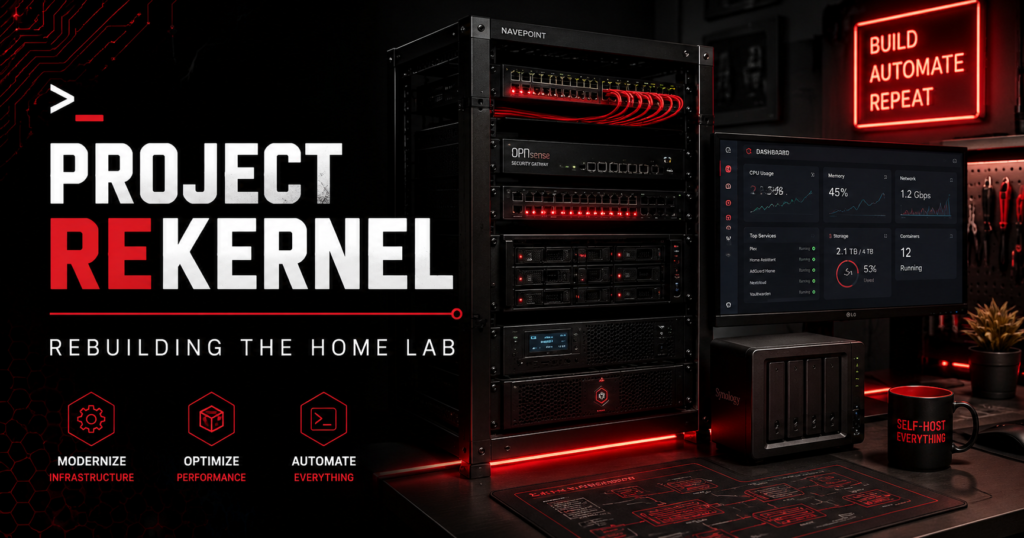
As I am sure many of those with a home lab are prone to do, I find myself at a point where my current setup has been established for quite some time and I am pondering making some changes. Whether that is out of necessity or just an uncontrollable urge to constantly tinker and improve, who is to say? Perhaps it’s a little bit of both or perhaps us nerds can just never be satisfied with the status quo. Regardless of how I got here, I have this itch to tear it down and build it back up. This article serves as the overview and roadmap for Project ReKernel.
Point of Origin
The current version of my home lab is probably my third iteration since I started. The humble beginnings were born from old PCs that I turned into servers and a hodgepodge of different networking hardware. I use the term server loosely in this case as those first machines had none of the hallmarks of an actual server like redundant storage, abundant RAM, or high number of CPU cores. As a jumping off point, they got the job done. We all start somewhere, and no one should feel ashamed of making use of what is within their means.
Throughout the different versions of my home lab, I experimented with different operating systems. Like many others Proxmox VE was one of the first that I tried, though network adapter issues, especially with 10G fiber adapters frustrated me enough to give others a test drive. XCP-ng based on Citrix XenServer had a home on my server for a period. I had experience with XenServer in my work, so it was familiar. Though ultimately, I just didn’t like their implementation of centralized management. I switched back to Proxmox VE for a while when I was attempting clustering and distributed Ceph storage, but this time hardware limitations on the host machines led me to move on once more. Which leads us to my current lab setup, consisting of the following:
Main Virtual Server
- HP Z6 G4 Workstation with Dual Xeon Silver 4110 8-Core Processors and 192GB RAM
- 5 x 1TB NVME storage array in RAID 5
- 3 x 960GB U.2 SSD storage array in RAID 5
- 2 x 8TB SATA storage array in RAID 1
- Dual 10Gbps Fiber Ethernet Adapater
- 4-port 2.5 Gb Ethernet Adapter
File Server/Secondary Virtual Server
- AMD Ryzen 5 5500X 8-Core Based PC with 64GB RAM
- 4 x 12TB SATA storage array in RAID 5
- Dual 10Gbps Fiber Ethernet Adapater
Backup Storage
- SANS Digital AN4L+B 16TB NAS
Network Infrastructure
- 2 x Cisco C1300-16P-4X Switches with 16 x 1Gb PoE ports + 4 x 10Gb SFP+ ports
- 1 x Cisco CBS250-24FP-4G with 24 x 1Gb PoE ports + 4 x 1Gb SFP ports
- 1 x Cisco C1000-8T-2G with 8 x 1Gb ports + 2 x 1Gb SFP ports
- Ubiquiti Wi-Fi 7 Access Points
- 4 VLANs – Management, Trusted, Security, and IoT
Services
- Nextcloud
- 2 x Technitium DNS Servers
- Home Assistant
- Gitlab
- File Server
- Jellyfin
- Video Surveillance System
Both my main virtual server and the file server are running Windows Server 2025 Standard with Hyper-V. Nextcloud, Technitium, and Gitlab all run on dedicated Ubuntu virtual machines. Home Assistant is running on Home Assistant OS in a dedicated virtual machine. I choose to use Windows Server mostly out of familiarity as in my day job I am an IT Director and manage Windows based domains. It was mostly born out of my frustration with getting Proxmox VE to work properly with the Intel 10Gb fiber adapters I had in my servers. I did not see it this way at the time, but I will admit now it was a bit of a surrender and retreat for me into familiar territory going to Windows Server. The file server holds my media library and shared folders on the network. I run Jellyfin directly on the file server, so it has direct access to the media files. I also have an NVIDIA T1000 8GB GPU in the file server that Jellyfin uses for transcoding video. I run one of my Technitium DNS virtual machines on the file server primarily for redundancy in the even my main virtual server is offline. The slower SATA storage on the file server is the reason that I don’t split the virtual load more evenly between the two servers. I run most of my virtual machines on the faster flash-based storage on the main virtual server.
I know that Cisco network gear is probably not the first choice for most home labs, but I decided a while back that since I deal with Cisco so much with my job, I would standardize it at home as well. It certainly comes at a price premium, and I can understand how it would be cost prohibitive in most home labs. I don’t mind paying extra for Cisco gear as my home lab experience and work experience complement one another. Wireless is where I deviate a little bit because I absolutely love Ubiquiti access points and their centralized management system. I had considered unifying the network with all Ubiquiti network equipment at one time so that I truly would have a single pane of glass to manage my network, but shared experience with Cisco won out in the end.
Currently I am not doing any heavy lifting with my virtual machines or my home lab in general. In my house it is just me and my wife; our children are grown and we are empty nesters. I do have some plans to add some additional self-hosted services. An Immich server is high on the list and will most likely be my next project. I am tired of Google badgering me to upgrade my storage. I also have some plans that will take better advantage of some of my existing hardware, but more on that later. On paper, the current lab has more than enough capacity, which raises an obvious question: why rebuild it at all?
Motivations
With my current hardware I have plenty of headroom to add additional services into the mix with no fear of overburdening resources. There are several reasons that led to this decision, and while any single one of them alone might not justify the effort, in combination they have compelled me to undertake this endeavor.
Loss of Faith
As you may have noticed from the list of services I am currently running, many of them are direct replacements for commercial products. Nextcloud replaces Google Drive, Gitlab replaces Github, and Immich will replace Google Photos. Over the last year I have made a big push to get out of cloud services, even those that are free; especially those that are free. As fellow tech enthusiast Linux Sebastian has said on multiple occasions, if you are not paying for the product, you are the product. He probably wasn’t the first person to say it, but that’s where I heard it the first time. Point is, over the last year I have made a concerted effort to self-host as much as I possibly can. I have no further interest in having my personal data sold to the highest bidder. I am doing everything possible to cut my reliance on services hosted by big tech. I no longer want to feed the big data machine. Even with my home automation systems, I only use components that are based on open standards like Zigbee. I won’t use products that require a manufacturer login to access an API so that I can use the device that I supposedly own. Open standards and open source are my path forward.
Breaking the Windows
For the majority of my technical life, I have been a Microsoft fanboy and defender. But I simply cannot do it anymore. Intrusive AI integrations, forced cloud accounts, and pervasive software bloat have turned me sour. I think the main reason I clung to Microsoft for as long as I did, was the same reason many still do, gaming and familiarity. The strides Valve and others have made with Proton have made gaming on Linux not only viable, but in some cases better. I just recently ditched Windows on my main PC at home for Linux. It wasn’t something that I did lightly and I honestly stressed over it slightly. Don’t get me wrong, I am very comfortable with Linux and know my way around it well. I guess it was more that it was just something that was such a constant for me for almost my entire life, that I would liken it to leaving your childhood home. I know that probably sounds a little corny, but I guess I am a sentimental nerd.
I can happily say that I could not be happier with my choice to move on. The myriad reasons I am so much happier, could fill its own article, I will not go into all of them here. My ramblings bring me to the point that I was trying to convey that I have decided to fully leave Microsoft on all my systems. I recently completed a build of a living room PC running Bazzite that will replace my Xbox. Servers are next on the chopping block.
A New Obsession
In the last year I have become obsessed with agentic AI. I have had opportunities at work to do a few projects automating mundane tasks with agentic AI and I find it incredibly interesting. We have built out a modest system capable of running decently sized local LLMs. This has filled me with a strong desire to do this in my home lab as well. With GPU pricing at an all-time high, I probably could not have picked a worse time to try this, but as I said it’s become an obsession for me. My current virtual server will make a fine base for running local LLMs with dual PCie x16 slots and an 1100 Watt power supply. Depending on what pair of GPUs I put in it I should have a minimum of 32GB of VRAM and perhaps as much as 64GB if I get lucky on the secondhand market. That would be plenty to run some very capable local LLMs. I even imagine running my own local digital assistant with voice control.
The Plan
With these motivations acting as a catalyst, I have developed a plan for the redesign. This will not be a complete ground-up rebuild. Some existing components will not be changed at all, while others will be repurposed.
What Stays
Overall, I am very happy with the state of my network infrastructure. I have put a fair amount of money into it and the core network hardware was all implemented in the last year to 18 months. Aside from relocating some of my existing access points for better coverage and adding an additional one, the network will be largely untouched. Down the road I may replace the Cisco CBS250 switch with another C1300-16P so that all the switches carrying multiple endpoints will have a 10Gbps backbone. For the most part though, the network will remain the same.
What Goes
As mentioned earlier, there will be a wholesale change of operating systems across the entire network. Desktops, laptops, and most virtual servers will run Linux. In the short term I will maintain a single Windows virtual machine for some compatibility needs. My current accounting software only runs on Windows. Though I have been doing some testing of WinApps and WinBoat for running native Windows apps on Linux and they are showing promise.
For my virtual servers I plan to return to Proxmox VE. I have done some digging recently and believe that I have found a solution to my 10Gbps network adapter woes. I am also very excited to try Proxmox Datacenter Manager. Additionally, I really want to be able to try containers. Proxmox VE has native support for Linux Containers, which I think might be a more efficient platform for some of the self-hosted services that I run. Hyper-V does not have a native container system. Depending on how the initial phase of the redesign goes, I may also revisit distributed Ceph storage and high-availability clustering. All overkill for a home lab I know, but a nerd is going to nerd after all.
My file server in its current form will also find its way out of the lab. I have a plan to resurrect some old systems with a hardware refresh, and the file server will become a donor system for some of the components. In fact, by the time you are reading this, Part I of that article will already be posted.
Phase I
The first phase of the redesign will be to provide a new platform for Proxmox VE. This will allow me to gradually migrate my virtual machines from Hyper-V to Proxmox VE. I have my target hardware ready to go and as mentioned that article is now live if you want to find out more. If the first system is successful, I will also rebuild a second system with matching hardware and storage so that I can manually fail over servers from backups in the event that one of the systems fails. Not true high availability, but I would be able to be back to full capacity in short order.
Phase II
Once my virtual infrastructure has been replaced, that will free up the current main virtual server to be rebuilt as my AI server. The base hardware will remain the same in terms of the processor and RAM, but I will be adding two GPUs to run the local AI models. I have not yet decided on what GPUs I am going to install but I have been doing extensive research on the best price-to-performance options on both NVIDIA and Intel platforms. NVIDIA is king in this space, and their software stack is much more mature, but the price-to-performance ratio of the latest gen of Intel GPUs is making a compelling argument. If their software stack can catch up, it might become a disruptive option.
Now Get to Work
I have the motivation, I have the plan, now it’s time to get to work. I plan to document the progress of the redesign under Project ReKernel. A link to my Projects is at the bottom of the page and all articles related to this project will be linked there.
I hope you found this both interesting and informative, and hopefully I didn’t ramble on too much. I am glad you found your way to my page and will see you down the road.