
The Ultimate NAS Upgrade, Part I: Discovering the Possibilities
What started as a simple attempt to modernize an aging SANS DIGITAL NAS quickly turned into something much more ambitious. In Part I, I explore the limitations of the original hardware, uncover the appliance’s hidden mini-ITX potential, and begin planning its transformation into something that is much more.
 jim@nerdkernel.comJuly 27, 20268 min read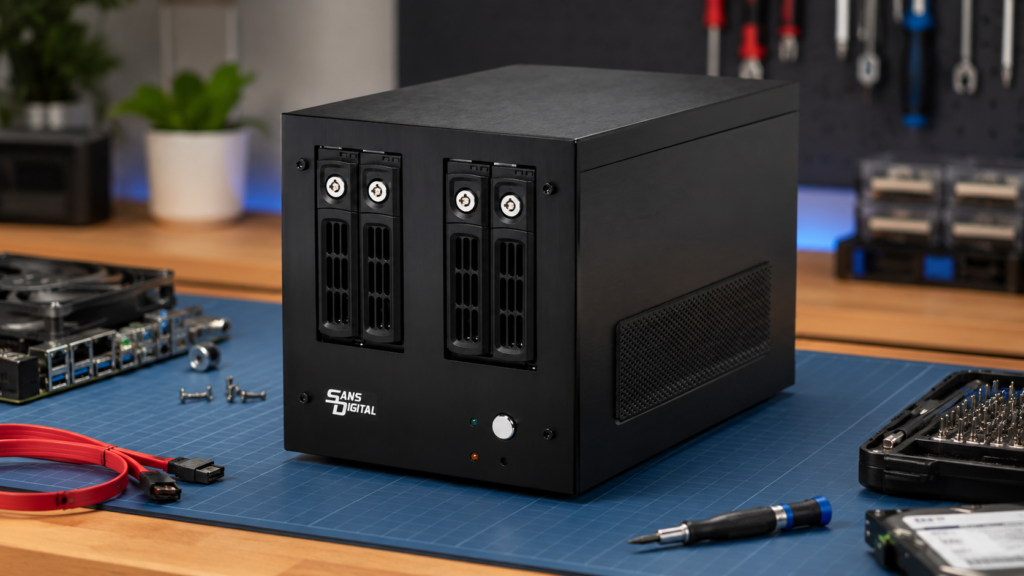
When it comes to technology, one of the things that I really enjoy is repurposing old hardware and giving it new life. I am a bit of a hoarder when it comes to tech. I just can’t seem to let things go, feeling that I will always be able to find another use for it somewhere down the line. Working in IT for the last 25+ years has afforded me many opportunities to nab old hardware that my employer or customers might have otherwise discarded over the years. A fact that my wife often laments as she can’t stand the clutter. Luckily my home has an overabundance of storage areas, letting me hide most of it away. Which brings us the subject of this article, upgrading an old NAS. I will be integrating this project into a larger series I will be doing on a complete redesign of my home lab.
The Hardware
Among my hoard of old tech are a pair of SANS DIGITAL AN4L+B NAS appliances. These are from SANS DIGITAL’s older AccuNAS “+” series that came out around 2013. I acquired these from my place of work after we upgraded to a higher capacity and more modern NAS for our backups. I recently put one into service in my home lab just to store Veeam backups of my Hyper-V servers, running the stock operating system that came with the unit.
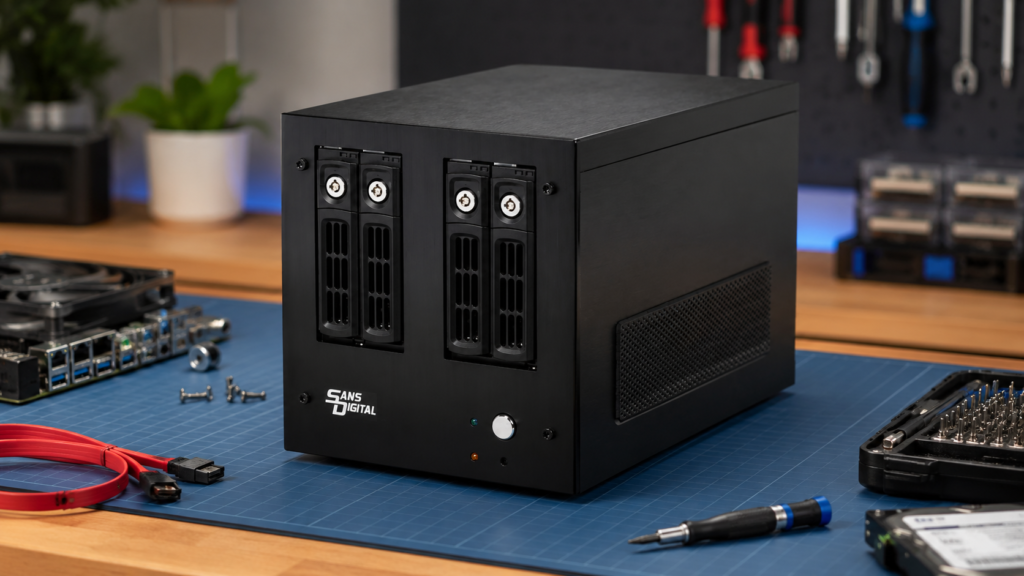
Original AN4L+B Specifications
- Processor: Intel 3rd Generation Ivy Bridge Celeron dual-core, 1.50 GHz, 2 MB cache
- Memory: 4 GB DDR3 RAM
- Drive Bays: Four hot-swappable 3.5-inch SATA bays
- Maximum Capacity: 16 TB raw using four 4 TB drives
- RAID Support: RAID 0, 1, 1+0, 5, and 6, with hot spare support
- Networking: Dual Gigabit Ethernet ports with failover and teaming support
- Power Supply: 200 watts
- Dimensions: 12.0 inches wide × 8.0 inches deep × 8.5 inches high
Certainly, the hardware is showing its age in 2026. Given the specs of the stock hardware, I started to ponder what the possibilities were for installing a more modern operating system. The hardware is x86 based, I discovered when booting the unit while having a display attached, that it was running CentOS 6.3 under the hood and it has a standard PC BIOS. Theoretically it should be capable of running any OS that can run on x86 hardware.
My first thought was to install TrueNAS, but relatively quickly I dispelled that notion. Even with upgrading the RAM to 8GB, I just felt the system would struggle to run TrueNAS efficiently. Most importantly, the Intel 3rd Gen processor lacks Intel AES-NI, an encryption acceleration feature found inmodern Intel processors. The lack of this feature would not preclude creating encrypted ZFS datasets in TrueNAS, however it will put a heavier load on the processor as encryption would be performed using normal CPU instructions. I then considered trying a lightweight Linux distro that would be more capable of running on older hardware but also abandoned this after a very short period. I just felt the hardware was going to be too limiting when my ultimate goal was to be able run the most modern features. Something that the stock hardware and operating system simply could not provide.
The Eureka Moment
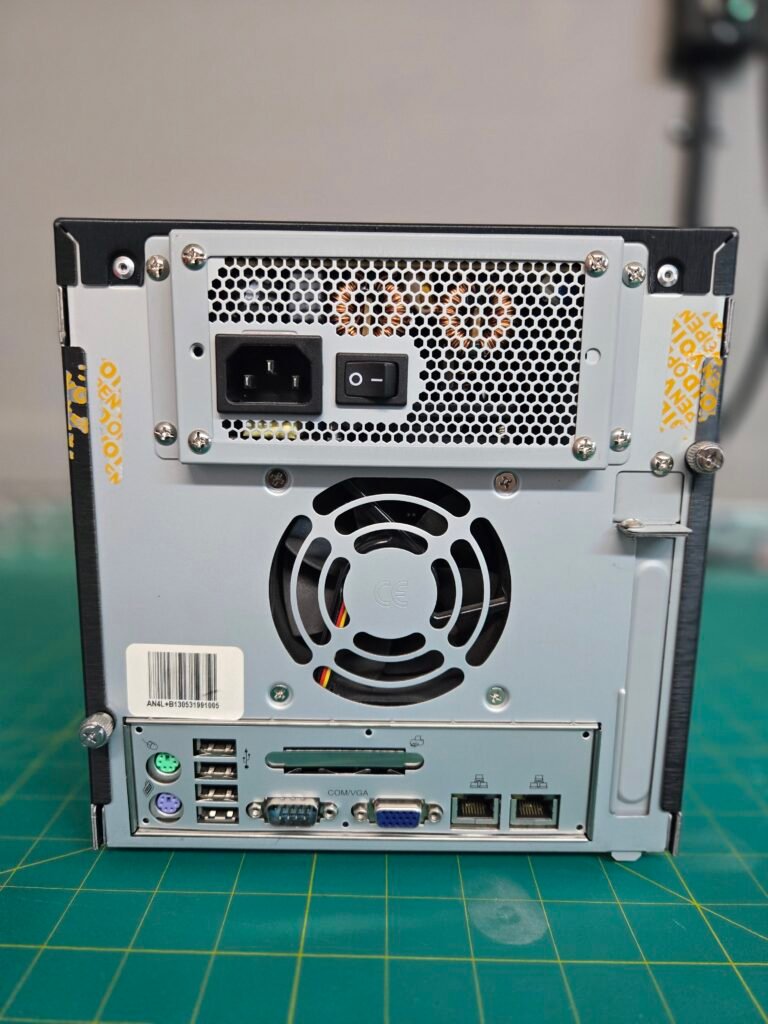
As I took a closer look at the physical appliance itself, a couple of things jumped out at me that for some reason I had never noticed previously. The first thing was that there was a standard PC expansion slot on the back of the unit. Immediately after that I couldn’t help but notice that there was what appeared to be a very standard looking motherboard I/O shield. Couple these two realizations with the fact the system is x86 based, and boom, I am thinking that this is a standard mini-ITX motherboard inside.
I opened the chassis and took some rough measurements of the motherboard and with my tape measure and caveman eyes the board does appear to be about 6.7 inches wide, which would be standard mini-ITX size. Further inspection revealed what looks like a standard ATX power connector to the motherboard and SATA power connections, further affirming my suspicions that it is using off the shelf PC hardware. At this point I have not removed the board from my second unit to confirm 100%, but I am confident enough with the assumption that’s it’s a standard mini-ITX board.
With the chassis open I inspected further to see what other surprises might be hidden, and I was not disappointed. Below the main drive cage that holds the four 3.5” drives, what I initially thought was just a support structure below it appears to also double as cage for 2.5” drives as well.
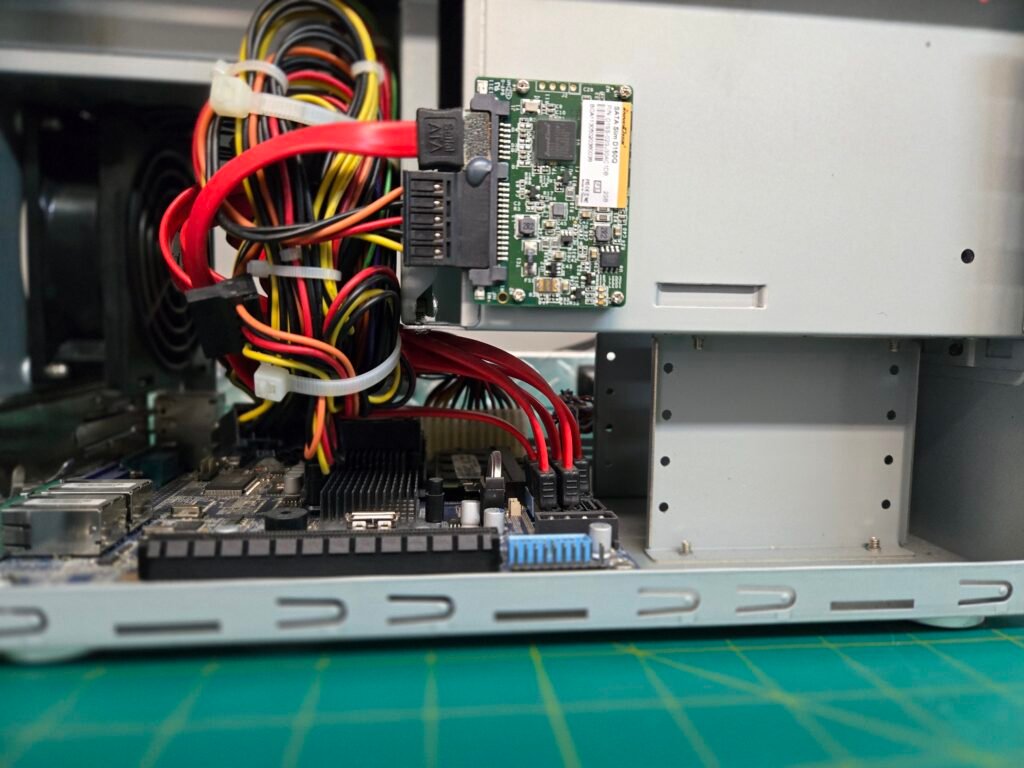
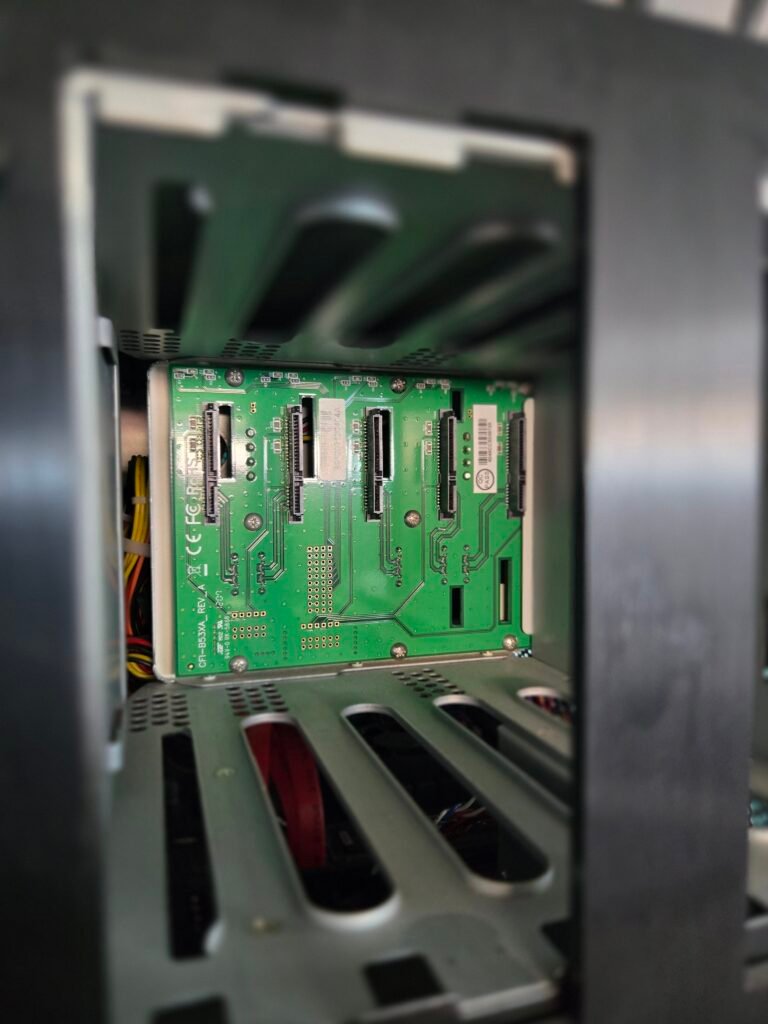
I also noticed that on the back side of the drive plane that the 3.5” drives plug into, there is a fifth SATA drive connector. As this is a 4-bay NAS, I would have expected that there would be only four. I looked at the inside of drive cage from the front of the unit and saw that even though it is blocked by the center support between the drives, there is a slot and connection for a fifth drive. There is a 5-bay version of this same NAS, so it appears that SANS DIGITAL elected to use the same drive cage for both versions. While not conveniently accessible, there is the possibility of adding a fifth drive to the system.
A World of Possibilities
Armed with these discoveries, a lot of new possibilities are open. I now have the option to swap the motherboard with current generation technology and install a modern, fully featured operating system. My first thought is back to my original plan of installing TrueNAS, but now on newer hardware that won’t be a bottleneck or limit capabilities.
I started looking into budget priced AMD mini-ITX motherboards. I am a big fan of AMD. Doesn’t mean I hate Intel; I just like AMD better. And I have a spare AMD Ryzen processor lying from a past upgrade, so there would be some cost savings. At this point, knowing that five drives are possible, I have become fixated on a board that will support at least that many SATA drives. Unfortunately, in the mini-ITX form factor I find this to be nearly impossible. Plenty of boards have at least a single NVME slot but I am just having no luck finding more than four SATA connections on an AMD-based mini-ITX board from the major manufacturers. There are NVME to SATA converters that would give me extra SATA ports, but I want to keep the slot for an NVME drive to run the operating system. Furthermore, I suddenly remember that unlike Intel, AMD chipsets do not include integrated graphics. I would need to install a G series Ryzen CPU for integrated video. Checking pricing on AMD G series processors, I find that they are more expensive than their non-G counterparts and also there is just not as much selection or available stock. I could solve either of these little problems by installing an expansion card in the expansion slot, but I want to reserve that slot for a 10 Gig fiber adapter as the switches in my home lab have 10 Gig fiber ports. I could also abandon my plan to put five drives into the unit and just stick with the four it was designed for. A big part of me still doesn’t want to compromise; I want it all. I keep digging. I have a little more luck finding Intel-based mini-ITX boards that will support up to six SATA ports, but I would would then have to purchase a processor as well.
Eventually I am far enough down the rabbit hole that I come across a Chinese manufacturer that makes NAS focused motherboards in mini-ITX form factor. I admit that normally I shy away from Chinese manufacturers because I am concerned about drivers, updates, warranty support and overall reliability. I tend to stick to manufacturers with a presence in North America. The manufacturer I found is CWWK which is based out of Guangdong Province, China. The more I peruse their site, the more intrigued I find myself. I am amazed by the options that are available and how much they have managed to squeeze into a mini-ITX board. I am so intrigued in fact that I have decided I am willing to roll the dice on a Chinese manufacturer.
A New Direction
I started this with the goal of breathing new life into some old hardware. I like the size and the styling of the SANS DIGITAL AN4L+B, and it’s a suitable platform for my plan to run a modern NAS operating system after some upgrades. However, the breadth of options that CWWK has presented to me in a mini-ITX package now has me thinking of loftier goals and getting a lot more utility out of it than just NAS storage.
I ended up narrowing down the decision between two boards. After carefully considering several factors including the cost of the additional components I would need to purchase, I made the decision to go beyond simply upgrading the hardware and build an updated NAS and instead chosen to do a full conversion to a mini server.
As I mentioned briefly earlier, I am starting the process of redesigning my home lab. This build will be the opening volley in that endeavor. One of the overall goals for my home lab refresh is to reduce overall power consumption. A mini server running a 200 Watt power supply goes a long way towards that goal. That same 200 Watt power budget may present some additional challenges with my intended design. In part two I will detail the components I chose for the build, my thought process behind the choices and get into the actual build. I hope you enjoyed this article and even got something useful out of it. I will see you in Part II.
The Ultimate NAS Upgrade Part II is now up.
Links
CWWK NAS Motherboard Collection: https://cwwk.net/collections/nas
This article is part of Project ReKernel: Rebuilding the Home Lab.